Walmart Digital Talent Book
End-to-end talent and succession planning for enterprise HR teams
Walmart Global Tech Talent & Learning
A talent and succession planning platform where talent partners can identify high-potential talent to support their growth and build the next generation of leaders, using flexible talent pools and succession plans to improve the leadership pipeline and leverage the talent pool to guide leadership discussions during talent reviews.
Project type: End-to end talent pool web app + design system
Role: Sole UX/UI designer
Tools: Figma, Figjam, Mural Board
Problem
2. Research
Audit of the Current Talent Pool Platform

Analyzing User Interviews
How are talent partners addressing the need for identifying high-potential talent to improve the leadership pipeline? We had a brainwritting session with four talent partners to better understand the product and to generate as many innovative ideas as possible. We timed each session for 5 minutes to see how many ideas were generated.
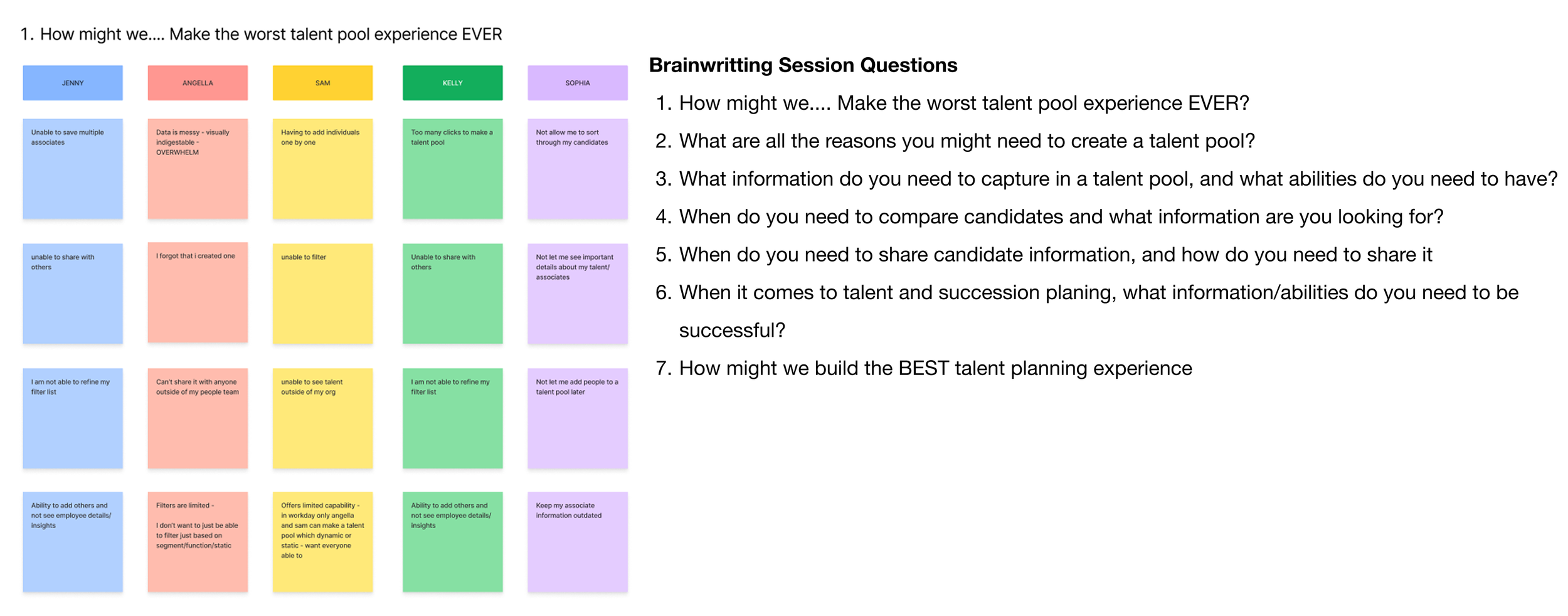
After the brainwriting session, I evaluated the grouping of the notes from the seven questions, and I was able to identify some key takeaways.
Key Takeaways from the Stakeholder Interviews
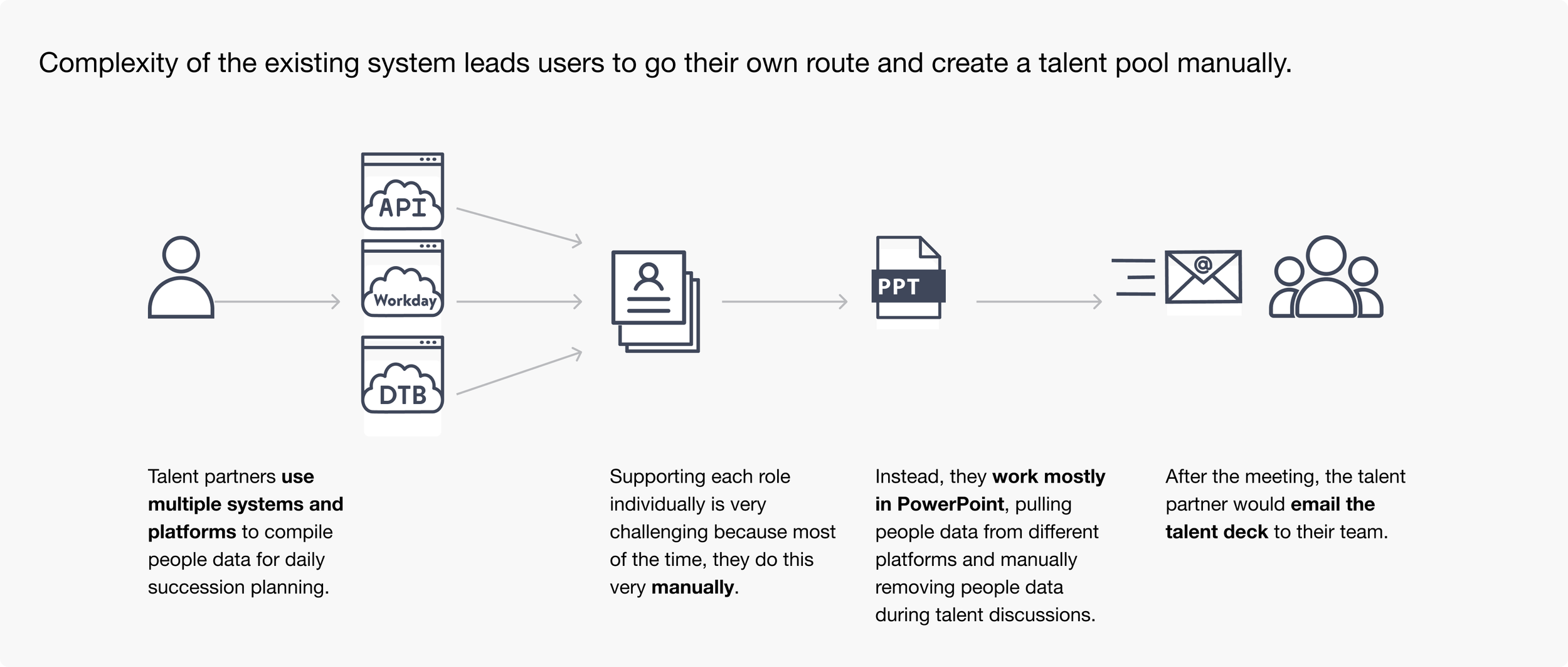
The current talent pool experience is too complicated so, people don’t want to use the tool and they would prefer to create a talent deck manually
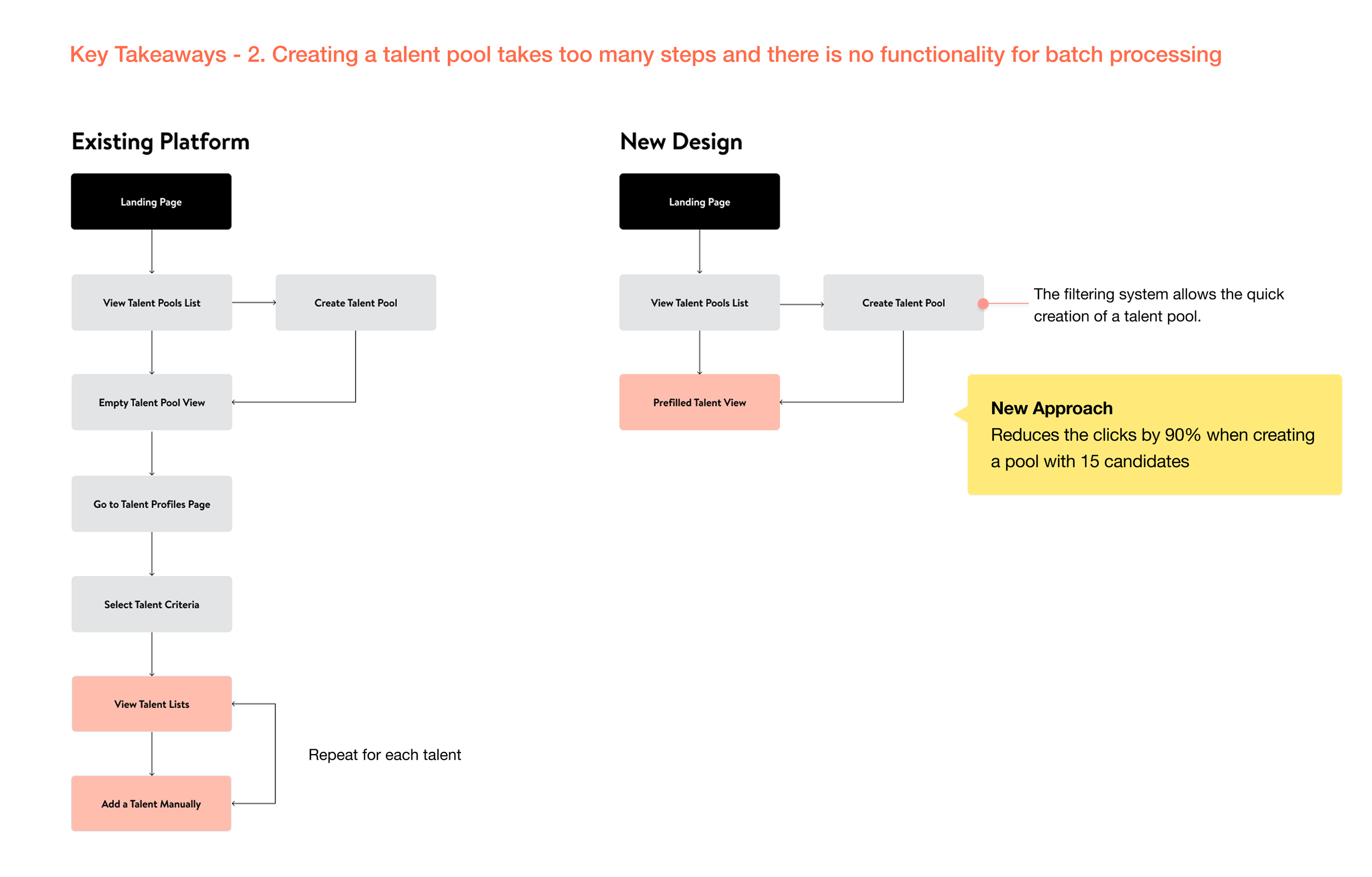
Creating a talent pool takes too many steps and there is no functionality for batch processing
No ability to modify existing talent criteria forcing users to create a talent pool from scratch
Talent partners need flexibility in managing talent pools such as archiving or unarchiving when positions turn over
Pool owners needed additional flexibility in granting access to what their partners are able to access or edit
Developing Goals and Features based on Insights
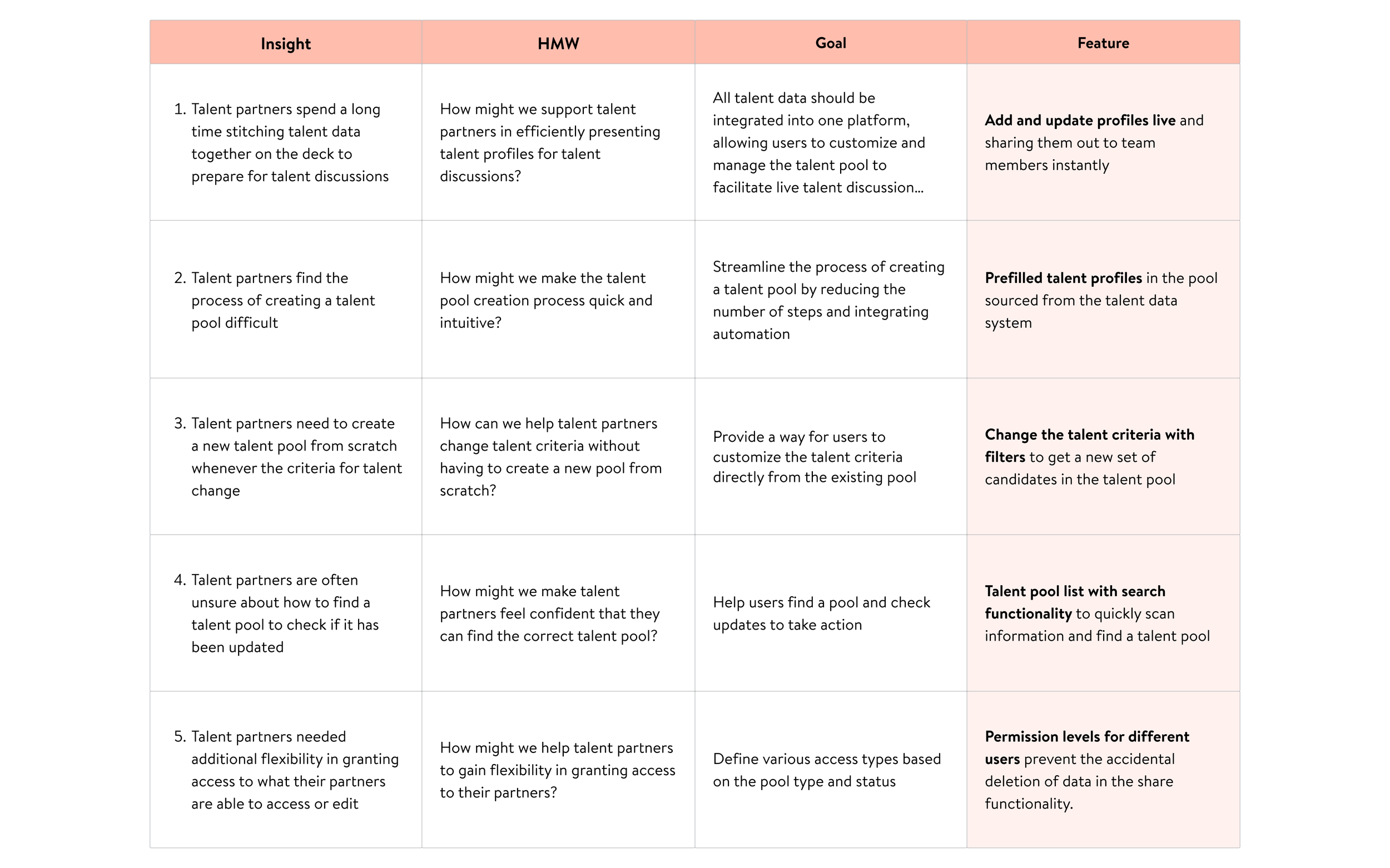
Using key takeaways from the brainwriting session, I developed them into HMWs, translated them into goals, and identified features.
Storymapping
Outlined the expected user interactions for goal completion in our product and presented this to stakeholders for feedback. This helped us understand how each piece fits into the overall user experience.

3. Design
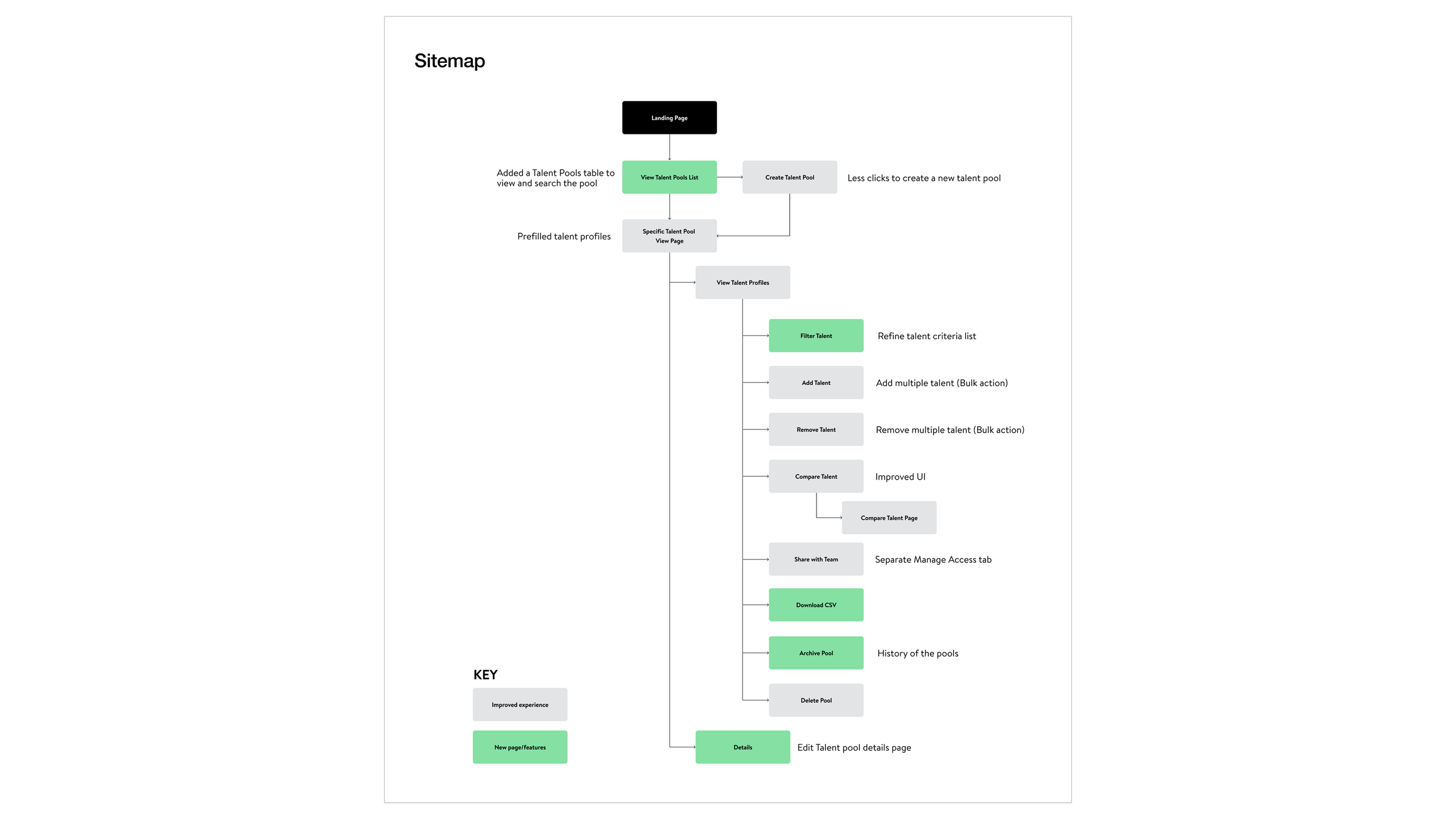
Sitemap
Round 1: enhancement to the current platform
The initial iterations of the sitemap focused on adding features and pages that were necessary for the product to meet the product goals.
Talent Pool User Flow
Round 2: fewer clicks to product goals
I gathered feedback from stakeholders and streamlined the flow by reducing the total number of clicks needed by 90%.
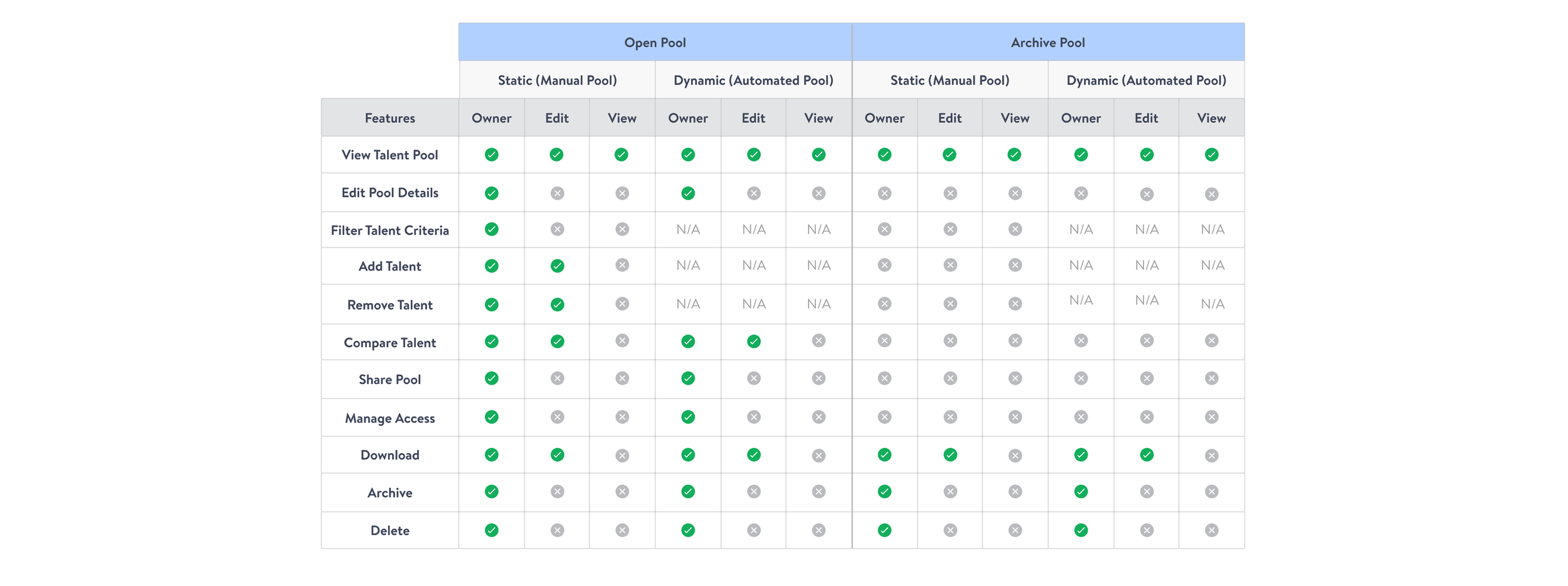
Talent Pool Permission Mapping
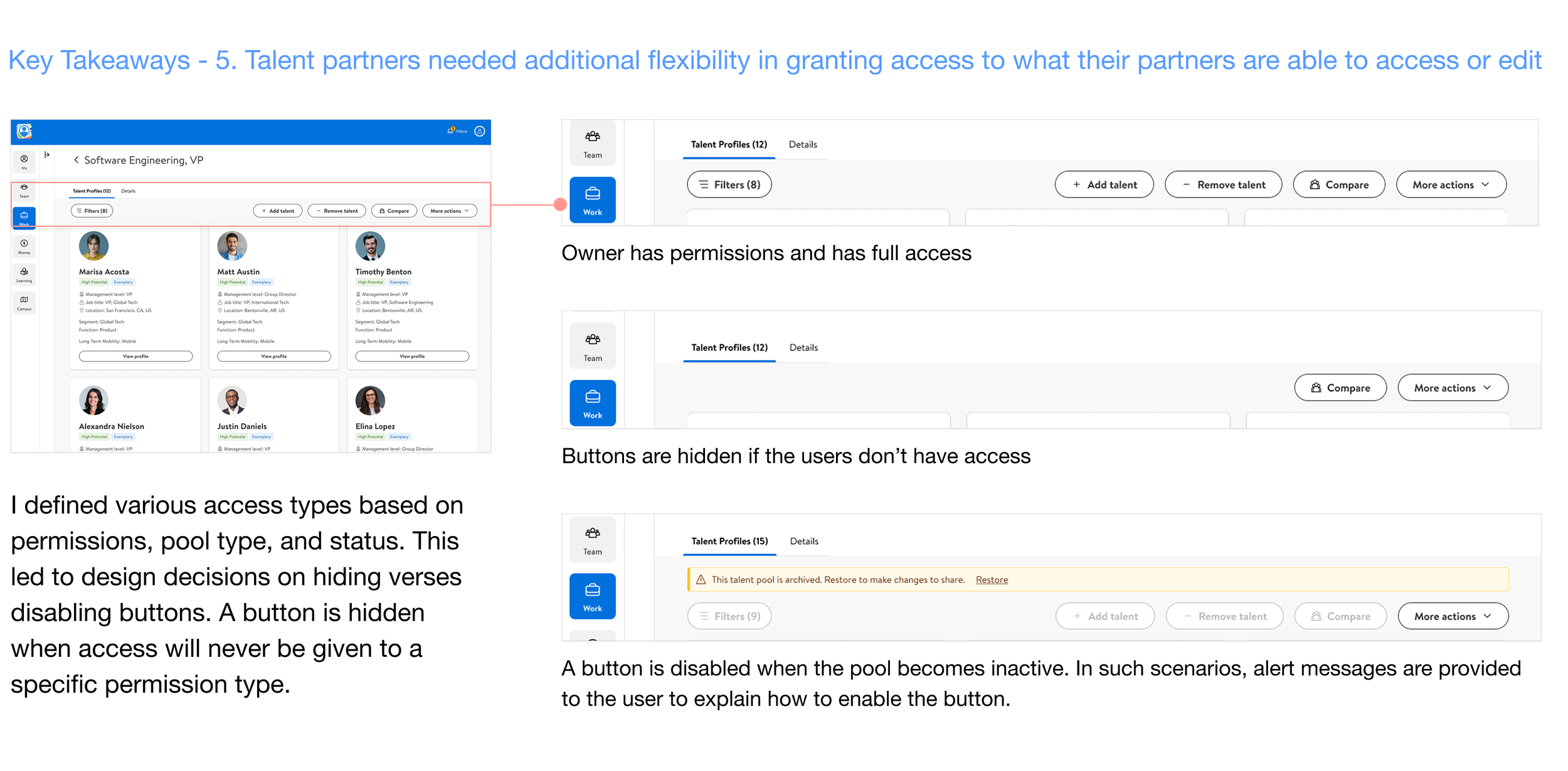
I defined permission levels for different users to prevent the accidental deletion of data. I’ve also defined various access types based on the pool type and status.
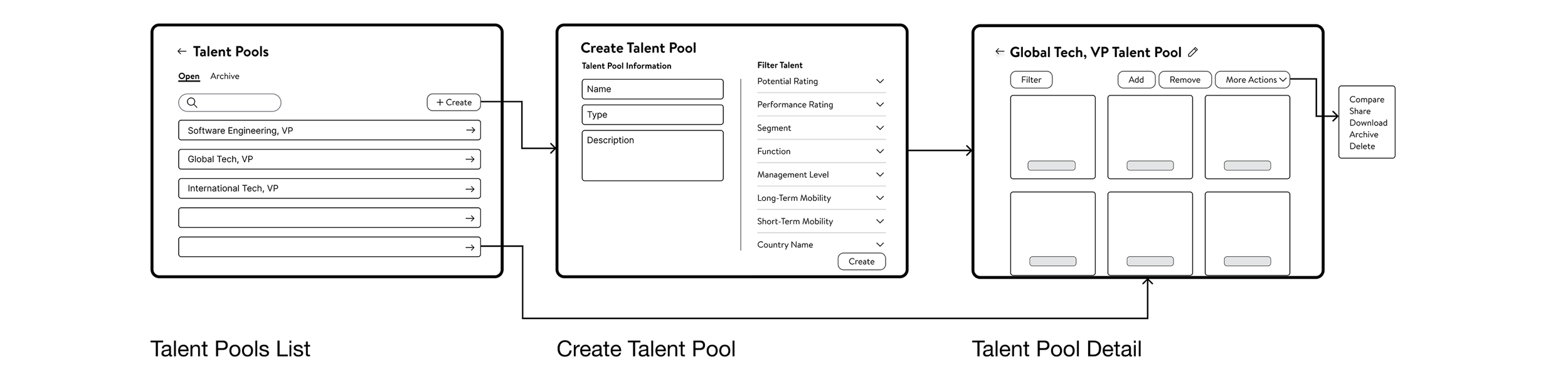
Wireframes
The experience consists of 3 main pages: Talent Pools List, Create Talent Pool, and Talent Pool Detail.
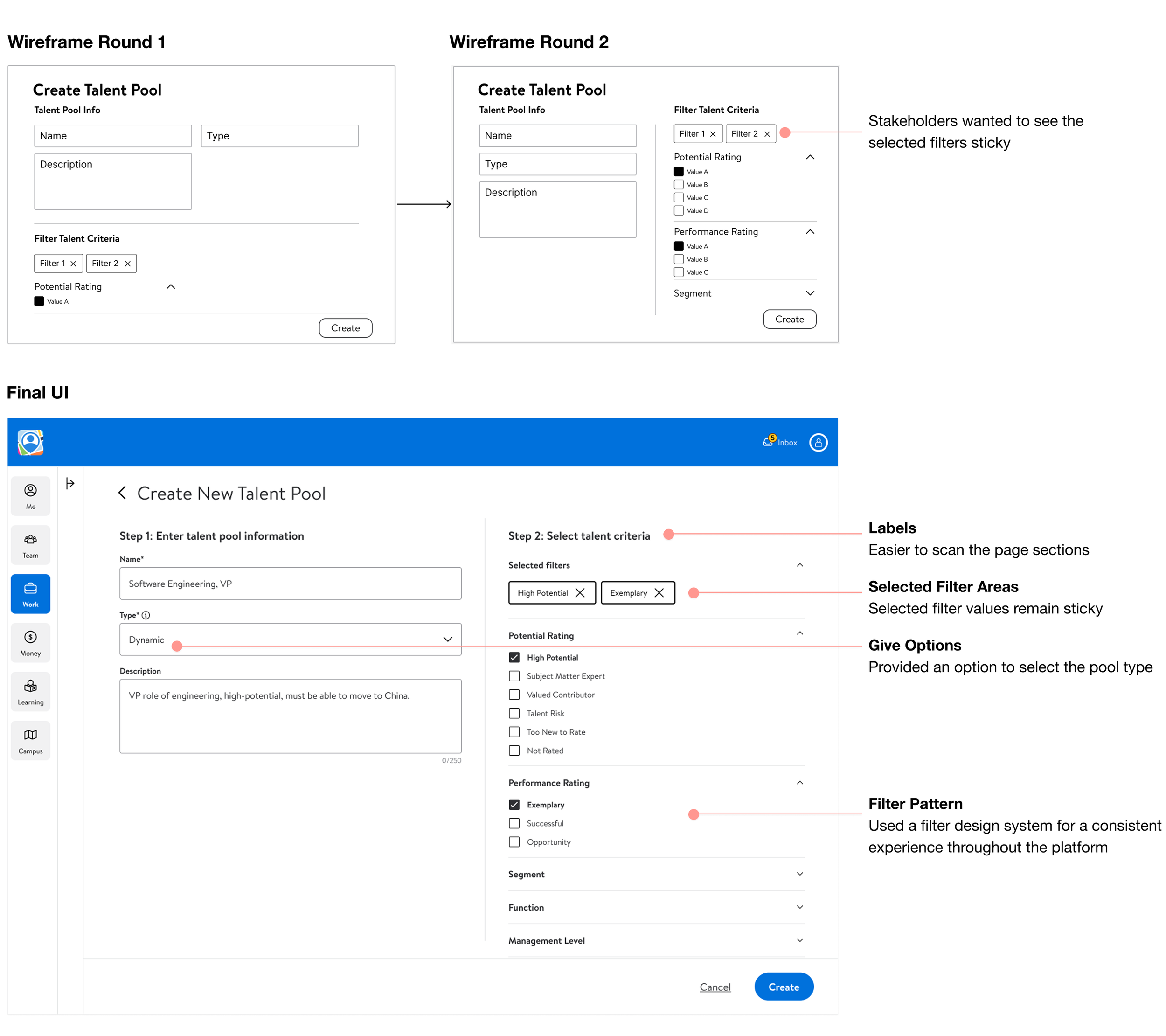
Create New Talent Pool Initial Concepts
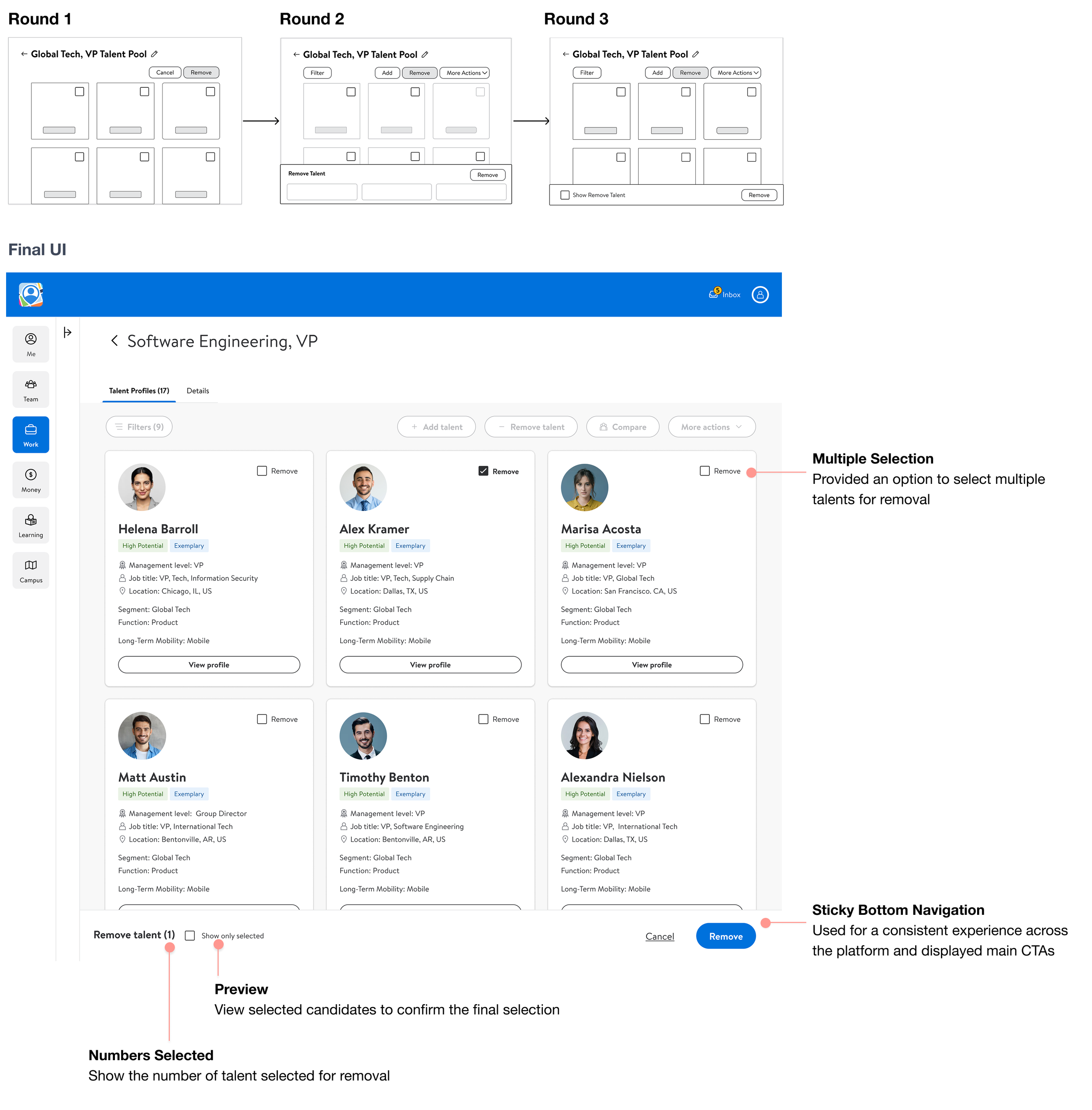
Remove Talent Flow Initial Concepts
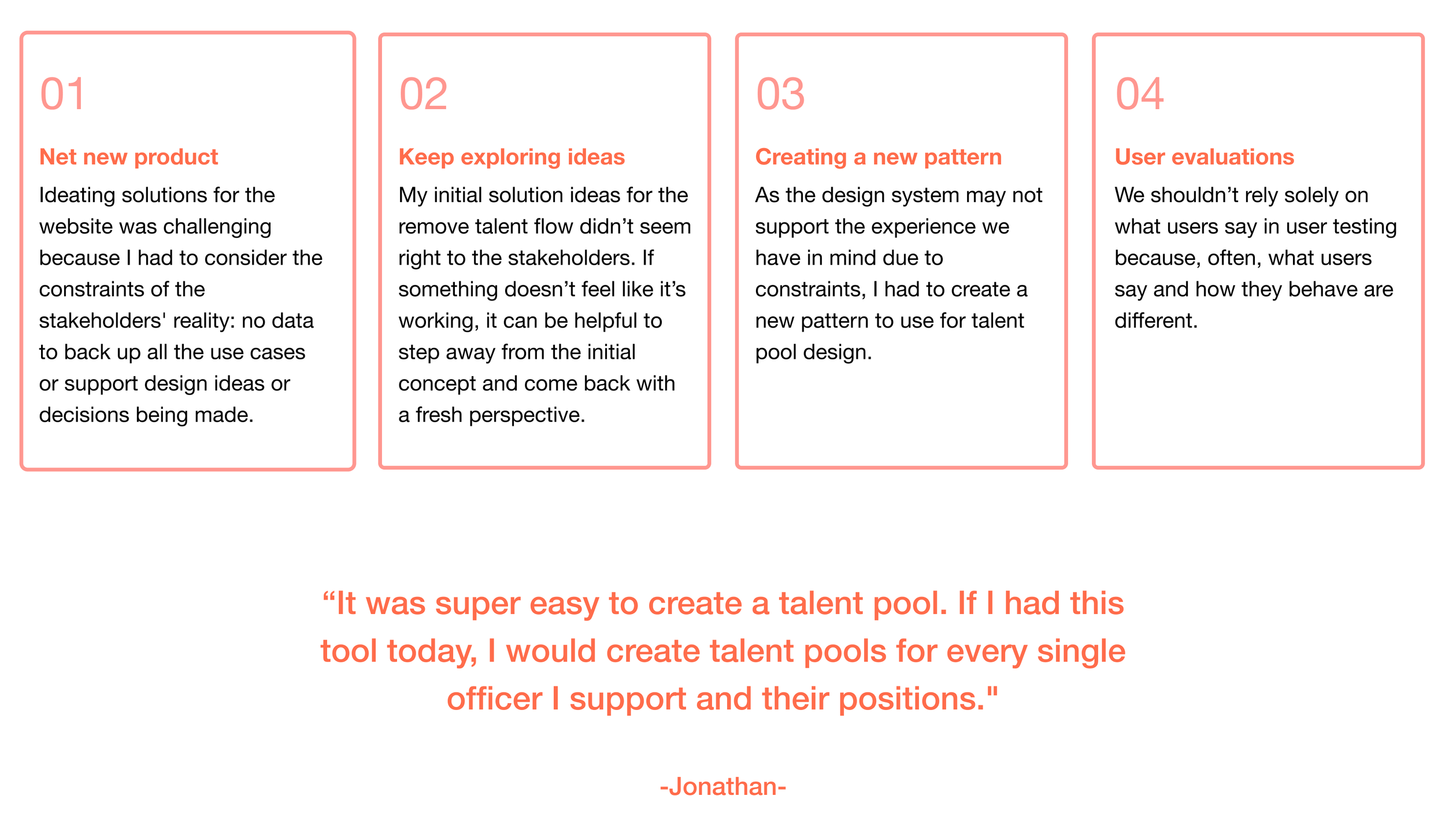
I discovered that the design system couldn’t support the experience we had in mind, so I had to create a new approach that displays more than six candidates for removal.
New Features
Talent Pools List Design
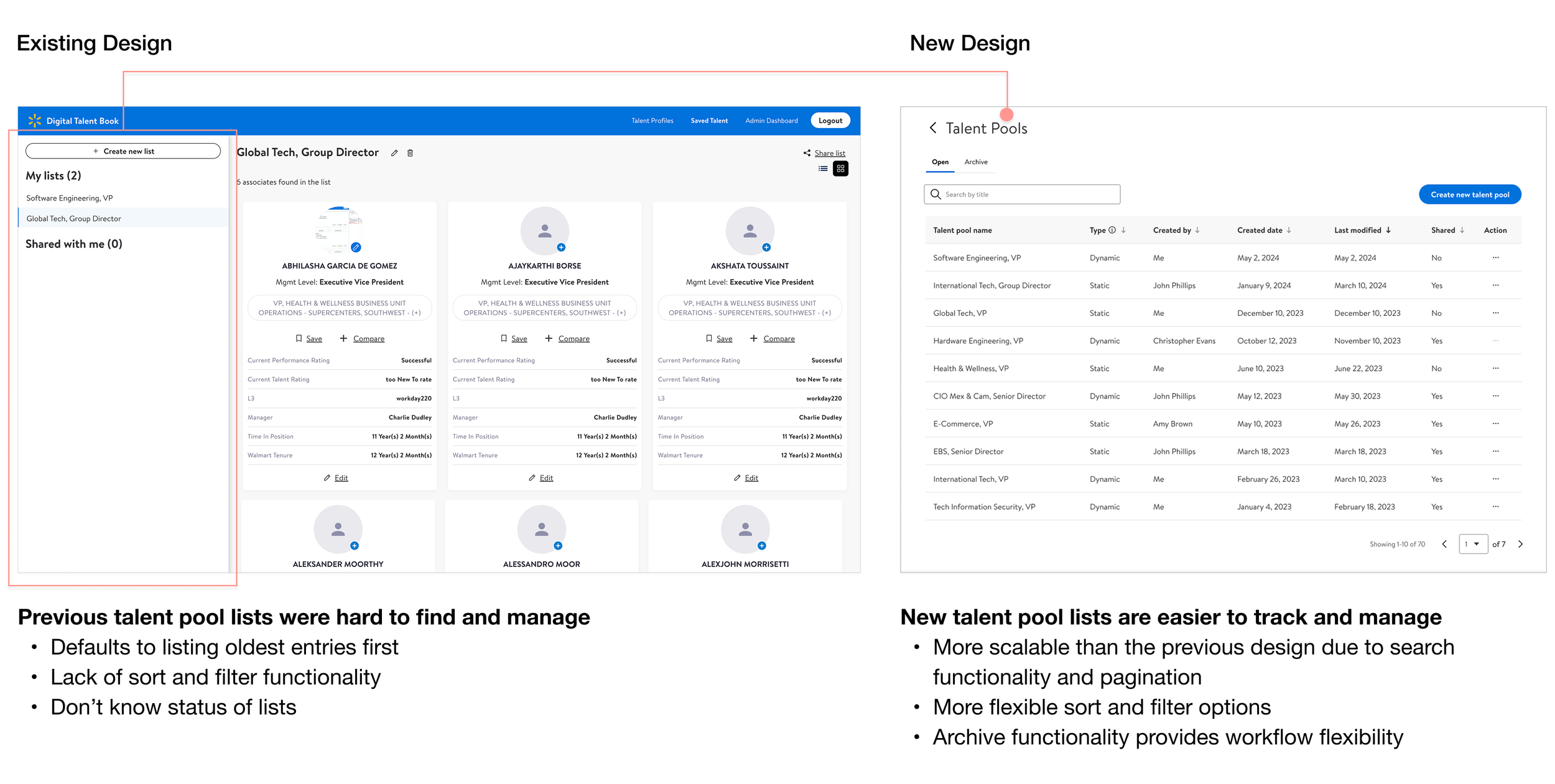
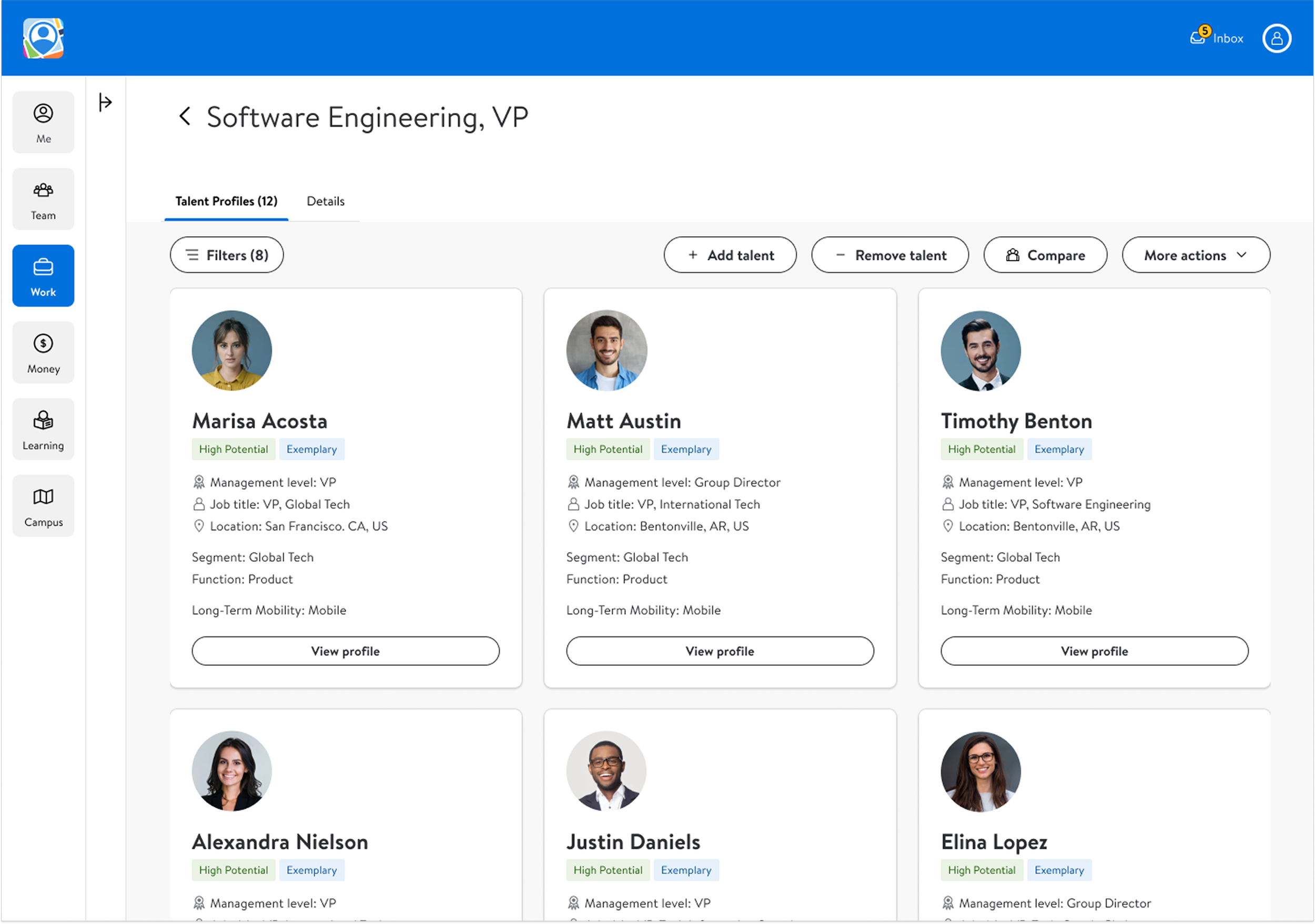
Talent Cards Design
I worked with stakeholders to identify the most important information to show at the card level, and used tags and icons to highlight key information to improve visual hierarchy.
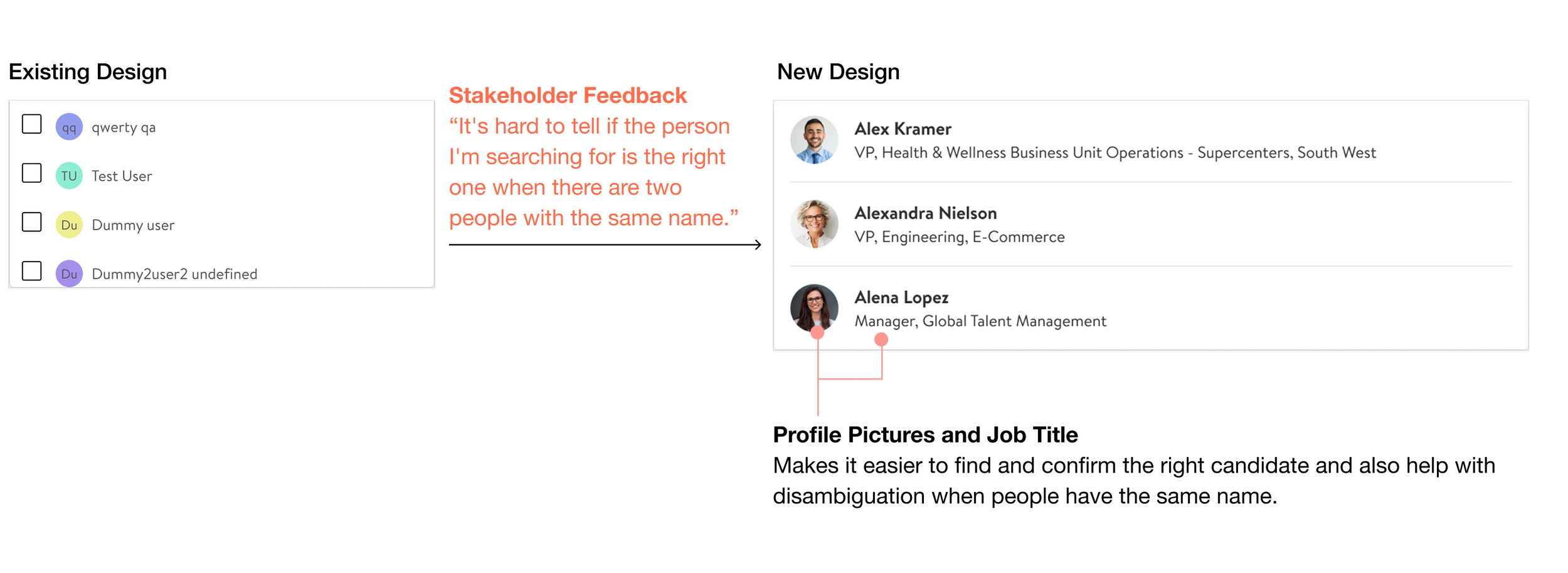
Search dropdown in the Add talent & Share flow
Buttons
Testing the Prototype
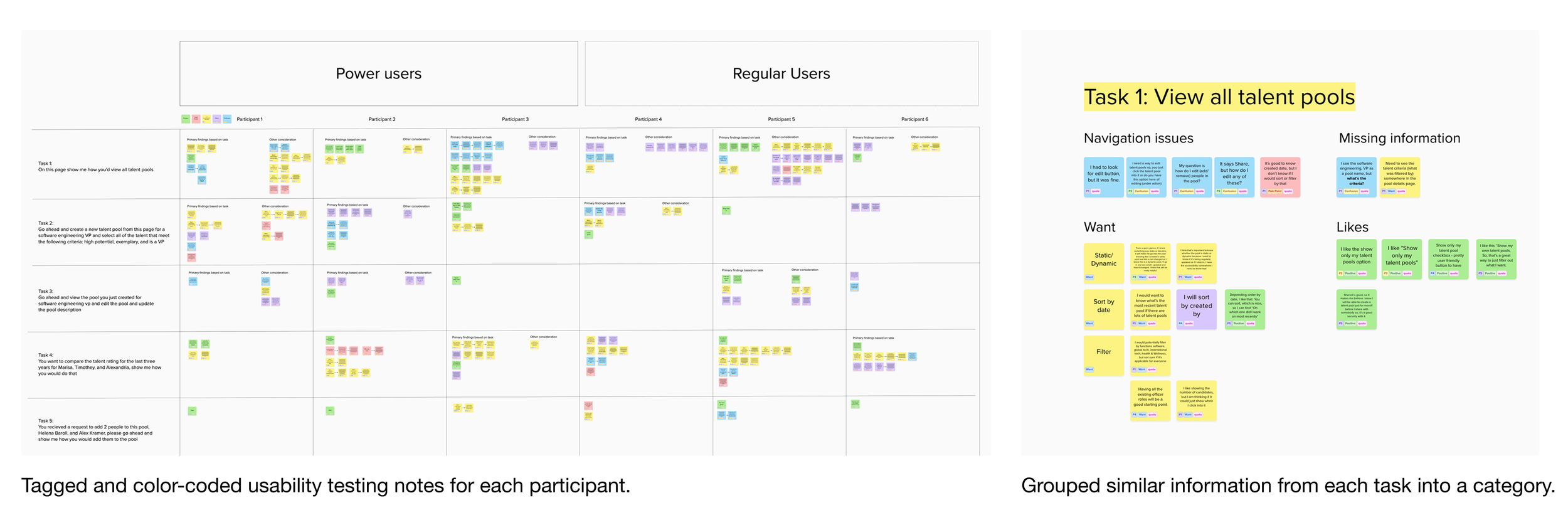
I conducted usability tests with 6 participants via Zoom. Three participants were from the target user group (primary user) and three participants were secondary users.
User Testing & Synthesis
Prioritizing changes based on frequency and impact
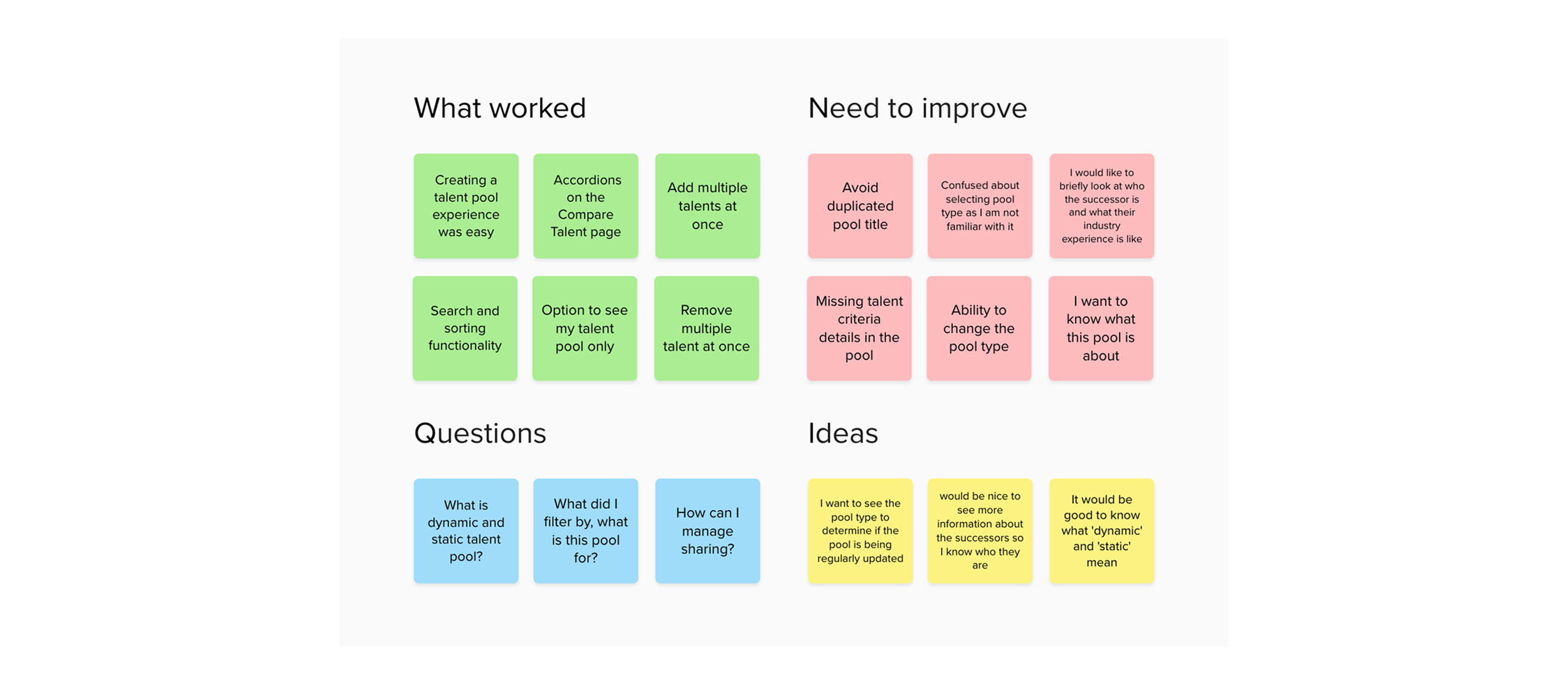
I sorted the notes based on evidence of what worked, what needed improvement, questions, and ideas. Then, I mapped out the issue and question patterns based on their frequency, impact on product goals, and estimated effort required to resolve the issues.
Iterations
Another key point from user research was how important it was to help users scan important information quickly. Users mentioned wanting to see incidents’ progress, so they can track and manage issues. So, we wanted to show key snippets of information on a hover over tooltip, as these feel like industry standard for these dashboard widgets.
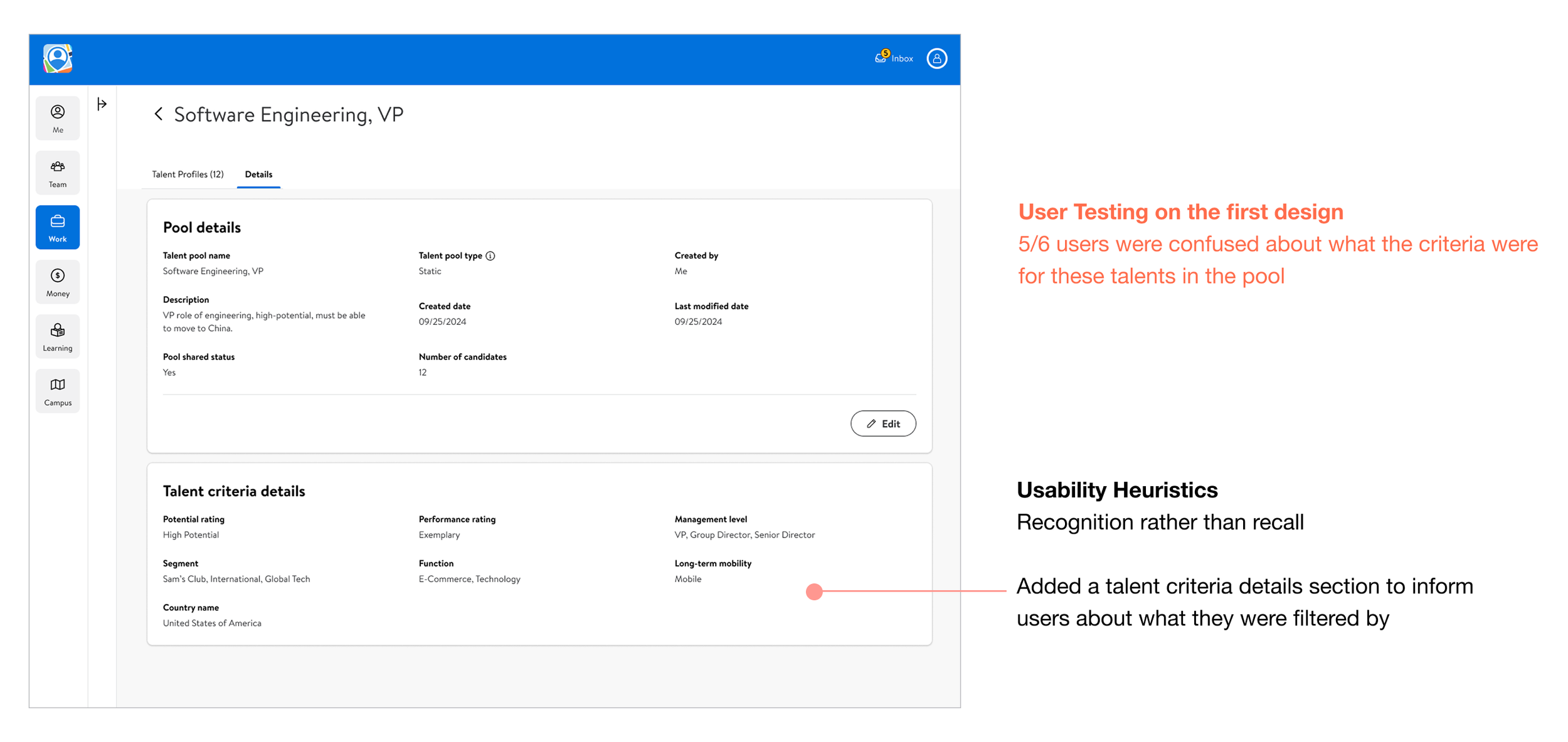
1. Confirm talent criteria details
To improve the Talent Pool experience, I listed talent criteria details to confirm what filters were used.
2. Display an error message when entering a duplicated pool name
To improve the Create Talent Pool experience, I added an error message when the user enters a talent pool name that already exists in the system to avoid duplicated talent pools.

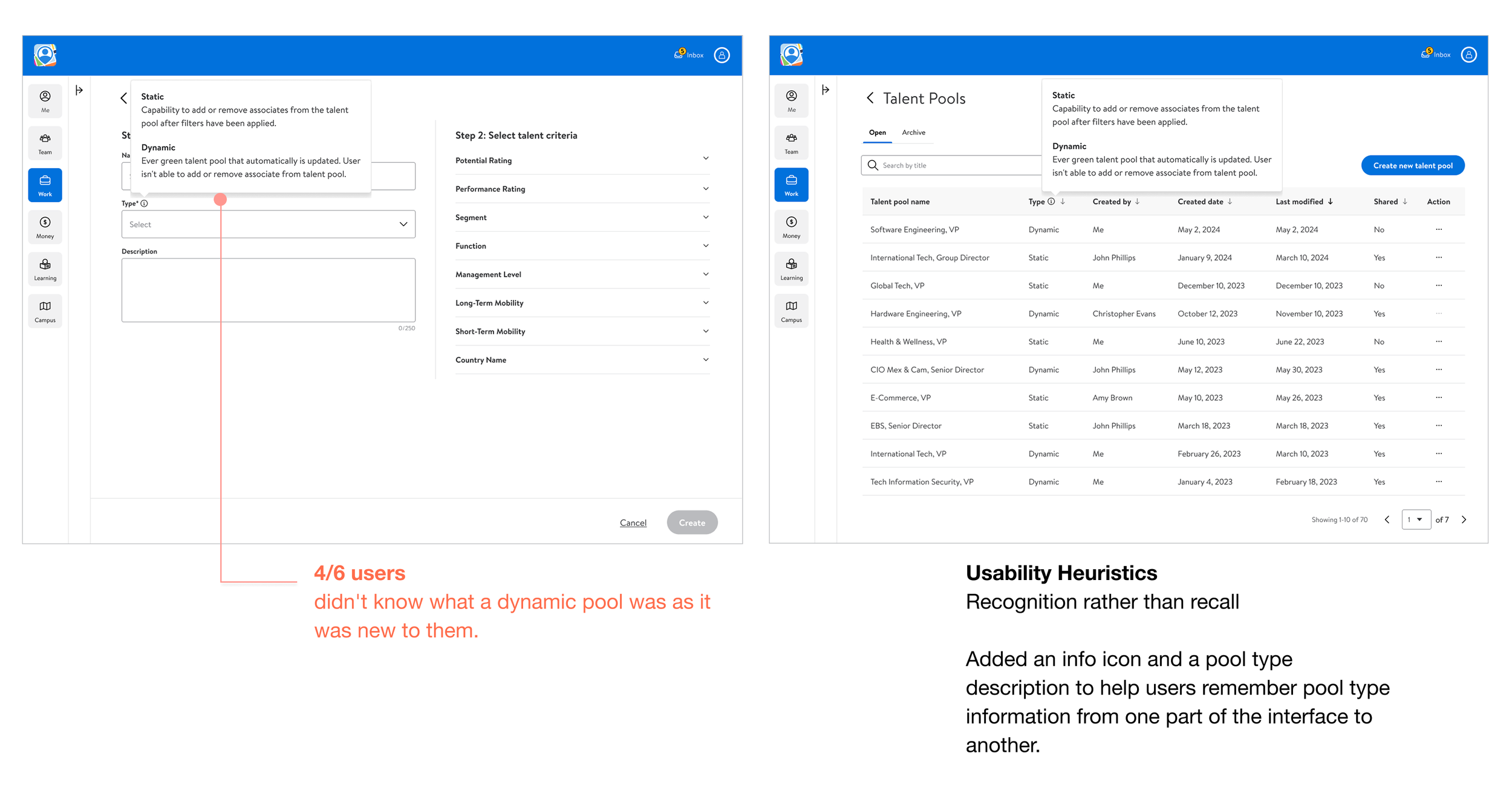
3. Pool type description tooltip
To improve the overall Talent Pool experience, I've added the pool type description in the tooltip to give.